Difference between dynamic and static QR codes
Static and dynamic QR codes may look identical, but one locks you in and the other keeps your options open. This guide explains the real difference, without jargon, so you don’t make a mistake you’ll have to reprint later.
Two QR codes. Very different outcomes.

Most QR codes look the same. Black and white squares. Same shape. Same promise. Scan and go.
That’s where the similarity ends.
The difference between a static and a dynamic QR code is not about design. It’s about what happens after you print it. And that difference decides whether a QR code quietly does its job for years or becomes a problem you only notice when it’s too late.
On the surface, both types work the same way. You point your phone at the code. A link opens. Job done. For a one-off use, that might be enough. But most QR codes are not one-offs. They live on menus, posters, packaging, windows, business cards, and signs. They sit there while websites change, campaigns end, prices update, and businesses evolve.
This is where outcomes start to split.
A static QR code is frozen in time. Whatever data is stored inside it is baked into the pattern itself. That can be a website link, a PDF, a menu, or contact details. Once it’s printed, that’s it. If the link changes, the QR code doesn’t know or care. People keep scanning. Sometimes they land on the wrong page. Sometimes nothing opens at all.
A dynamic QR code works differently. The pattern doesn’t contain the final destination. It points to a short, flexible link that you control. That link can be updated, redirected, or replaced without touching the printed code. To the person scanning, nothing changes. To you, everything does.
This distinction sounds technical. It isn’t. It’s practical.
Think about the last time you scanned a QR code and it led to a dead page, an outdated menu, or a campaign that clearly ended months ago. That wasn’t bad luck. That was a static QR code doing exactly what it was designed to do: never change.
For some use cases, that’s fine. If the content will never change and doesn’t matter much if it does, static works. But many businesses don’t realize they’ve locked themselves into a decision that assumes nothing will ever move.
Dynamic QR codes exist because the real world moves.
Links break. Websites get redesigned. Tools get replaced. A QR code printed today often needs to work next year. Or longer. When it doesn’t, the cost isn’t just reprinting. It’s confusion, missed scans, and small moments of friction that add up.
The problem is that this difference is invisible. You can’t see it by looking at the code. And most people only learn it after they’ve already printed hundreds or thousands of them.
This guide exists to prevent that mistake.
In the next sections, we’ll break down what static and dynamic QR codes actually are, how they behave in real situations, and when each one makes sense. No jargon. No theory. Just clear rules you can use before you generate your next code.
What a static QR code actually is
A static QR code is exactly what it sounds like. Static. Fixed. Locked in place.
When you create a static QR code, the destination is stored directly inside the pattern itself. The URL, text, file, or data is encoded into those black and white squares. That pattern is the data. There is no middle layer. No redirect. No control panel later.
Once it’s generated, it’s finished.
This is why static QR codes are simple and fast to create. You paste a link, generate the code, download it, and print it. Nothing else is required. For very basic use cases, that simplicity is the appeal.
But it comes with a trade-off that most people don’t realize at the moment they click “download.”
A static QR code cannot be changed. Ever.
If the link inside it changes, the QR code doesn’t update. If the page is removed, the QR code doesn’t know. If you redesign your website, move content, switch tools, or rename a page, the QR code keeps pointing to whatever was true on the day you created it.
That’s not a bug. That’s how static QR codes work.
So when are they actually fine?
Static QR codes make sense when the content is truly permanent and low-risk. Think of things like a Wi-Fi password in a private office, a one-time event flyer, or a short-lived internal document. If it breaks, nobody is confused and nothing important is lost.
They’re also fine when the QR code itself doesn’t matter much. If it’s a convenience, not a dependency, static can be enough.
The problem starts when static QR codes are used in places where time passes.
Menus change. Pricing updates. Campaigns end. Blog posts get reorganized. PDFs move. Even “permanent” pages are rarely permanent in practice. A static QR code assumes a world where nothing shifts. Real businesses don’t work like that.
This is where static QR codes quietly become a problem.
They don’t fail loudly. There’s no warning. No alert. No error message sent to you. People just scan and leave when the experience feels off. You often don’t even know it’s happening.
And because the QR code itself looks fine, it stays in place. On the table. On the window. On the box. On the poster. Long after it stopped doing its job properly.
The only way to fix a broken static QR code is to replace it. That means reprinting. Redistributing. Retaping. Reshipping. Sometimes recalling packaging or updating dozens of locations by hand.
Most people only discover this cost after the fact.
Static QR codes are not bad. They’re just unforgiving. They work perfectly until the moment they don’t. And once they don’t, you have no control left.
That limitation is the reason dynamic QR codes exist.
What a dynamic QR code really does

A dynamic QR code looks no different from a static one. Same shape. Same black and white pattern. Same scan experience for the person holding the phone.
The difference is hidden behind the scenes.
Instead of storing the final destination inside the pattern, a dynamic QR code stores a short link. That link acts as a middle layer. When someone scans the code, they hit that link first. From there, they are redirected to the actual destination you choose.
This small extra step changes everything.
Because the QR code points to a link you control, the printed code itself never needs to change. You can update where that link goes at any time. Website moved? Update the destination. Campaign ended? Point it somewhere new. Menu changed? Swap the page. The QR code stays the same on the table, the window, or the package.
To the scanner, nothing feels different. They scan. A page opens. Done.
This is why dynamic QR codes are often described as “flexible,” but that word can feel vague. In practice, it means you are no longer betting that today’s link will still make sense months from now.
The redirect layer also gives you something static QR codes never can: control after printing.
You are not locked into a decision made on a random Tuesday afternoon. You can respond to changes without touching the physical world. No reprints. No stickers on top of stickers. No quiet failures.
Another important detail is that the QR code itself doesn’t get more complex when you use a dynamic setup. The pattern can actually stay cleaner because it only needs to encode a short link, not a long URL or heavy data. That often makes scanning faster and more reliable, especially in real-world conditions like glare, distance, or worn prints.
Dynamic does not mean complicated.
From your side, it usually means having a simple dashboard where you can see and manage your links. From the user’s side, it means the QR code keeps working even as things change behind it.
This is also why dynamic QR codes are better suited for anything public or long-lived. Menus. Posters. Product packaging. Business cards. Signs. Anywhere you don’t want to gamble on a link staying perfect forever.
The key idea is this: the QR code is no longer the destination. It’s the doorway.
Once you separate the printed code from the final content, you gain freedom. You decide what happens after the scan, today and later. That’s the real job of a dynamic QR code.
The moment static breaks and dynamic keeps working
Static QR codes don’t usually fail in dramatic ways. They fail quietly.
Everything looks fine on the surface. The code is still there. The print hasn’t faded. People keep scanning. But behind the scenes, the world has moved on and the QR code hasn’t.
A common example is a menu.
A restaurant prints a QR code that links directly to a PDF. A few months later, prices change or dishes rotate. The old file is replaced. The link structure changes. The QR code still points to the original file path, which now leads nowhere or shows outdated information. Customers scan, hesitate, and default to asking staff or leaving altogether.
No error message reaches the owner. No alert says, “Your QR code is broken.” It just stops pulling its weight.
Campaigns work the same way.
A static QR code is printed on a poster or flyer linking to a landing page for a specific offer. The campaign ends. The page is unpublished or reused for something else. The poster is still up in the window. People still scan. They land on a dead page or an offer that no longer exists. The QR code becomes confusing instead of helpful.
Links break for less obvious reasons too.
Websites get redesigned. CMS structures change. Tools get replaced. Even adding a language prefix can break a previously “safe” URL. A static QR code doesn’t adapt. It assumes nothing will ever move.
Dynamic QR codes handle these moments differently.
When the destination changes, the QR code doesn’t. You update the link once and every existing scan starts working again. No reprints. No new stickers. No manual fixes across locations.
This matters most in places where QR codes live longer than the thing they point to. Windows. Tables. Packaging. Business cards. Anything public and physical.
Another quiet failure of static QR codes is timing. You often don’t notice the break right away. Days or weeks can pass before someone mentions it. By then, hundreds of scans may have led nowhere.
Dynamic QR codes shorten that gap. Because the link is managed, you can fix issues the moment you notice them. Sometimes before users even realize there was a problem.
The real difference isn’t technology. It’s response time.
Static QR codes force you to react in the physical world. Dynamic QR codes let you react digitally. That difference saves time, money, and small moments of trust that are easy to lose and hard to win back.
This is the moment where most people realize they didn’t need a “better-looking” QR code. They needed one that could survive change.
Control, updates, and tracking without being creepy

One of the biggest misunderstandings about dynamic QR codes is tracking.
People hear “analytics” and imagine surveillance. Faces. Locations. Personal data. That’s not how it works, and it’s not the point.
In practice, scan data is simple. It answers basic questions that help things work better.
With a dynamic QR code, you can change where the code leads without touching the printed material. That part is obvious by now. But the same control layer also tells you whether the code is being used at all.
Did anyone scan it today?
Is it scanned more at lunch than in the evening?
Does the poster in the window get more attention than the one inside?
These are not personal questions. They’re performance signals.
A QR scan doesn’t tell you who someone is. It tells you that someone scanned. Maybe from a phone. Maybe at a certain time. Sometimes from a general region, not a precise location. No names. No emails. No profiles.
Think of it like foot traffic, not fingerprints.
This kind of feedback matters because QR codes live in physical spaces. Once they’re printed, you can’t see how they perform just by looking at them. A code on a table might be ignored. One on the window might quietly outperform everything else.
Without basic scan data, you’re guessing.
Updates and tracking work together here. If you change a destination and scans drop, something went wrong. If you adjust a landing page and scans convert better, you know it worked. If one location never gets scanned, you might move or remove the code entirely.
These are practical decisions, not marketing tricks.
Dynamic QR codes also let you fix mistakes quickly. If a link is wrong, you update it. If a page loads slowly, you swap it. If a campaign needs to pause, you redirect. All without breaking the printed code or confusing the next person who scans it.
The important part is restraint.
Good QR code analytics are boring on purpose. They exist to help you improve placement, timing, and content. Not to track individuals. Not to collect data you don’t need.
Used properly, this layer of control makes QR codes less annoying, not more. People get where they expect to go. Businesses learn what works. Nobody feels watched.
That’s the balance dynamic QR codes are built for.
Which one should you actually use
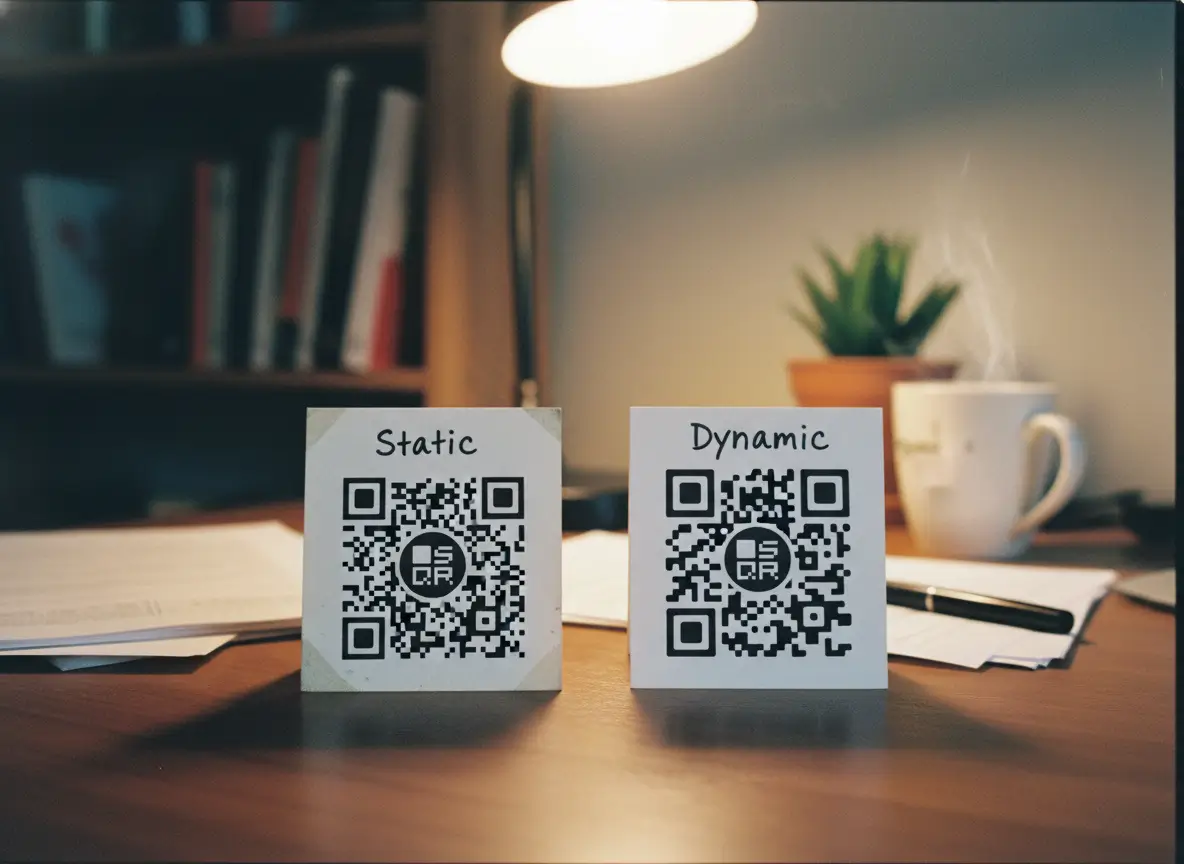
This decision is simpler than it looks.
You don’t choose between static and dynamic based on features. You choose based on risk and lifespan.
A static QR code is enough when all of the following are true:
The content will never change.
The QR code is used for a short time or in a private setting.
Nothing important breaks if the link stops working.
Examples are internal documents, temporary event materials, or one-off uses where reprinting would be easy and cheap. In these cases, static is fine. Simple. No overhead. No maintenance.
The moment any of those assumptions stop being true, static becomes a gamble.
Dynamic QR codes are the smarter choice when:
The QR code is public.
The content might change.
The QR code will live longer than the link behind it.
Menus, posters, packaging, business cards, signs, windows, product labels. If you wouldn’t want to reprint it, you shouldn’t lock it to a static destination.
A simple rule that works in practice is this:
If you can’t easily replace the QR code, don’t make it static.
Another useful rule:
If more than one person will rely on the QR code working, make it dynamic.
Dynamic QR codes are not about doing more. They’re about protecting yourself from small changes that are almost guaranteed to happen. They turn a fixed object into something that can adapt quietly in the background.
Most businesses don’t regret choosing dynamic. They regret not doing it earlier.
Static QR codes still have a place. They’re not wrong. They’re just unforgiving. Dynamic QR codes are more forgiving by design.
If you want a QR code that works once, static is fine.
If you want a QR code that keeps working, dynamic is the safer bet.
That’s the difference that actually matters.
FAQs about static and dynamic QR codes
Can a static QR code be changed later?
No. Once a static QR code is created, the destination is locked into the pattern. If the link changes, the only fix is to replace the QR code itself.
Do dynamic QR codes scan slower?
No. In most cases they scan just as fast, sometimes faster, because they often use shorter links that are easier for cameras to read.
What happens if a link stops working?
With a static QR code, scans lead to a dead end until the code is replaced. With a dynamic QR code, you update the destination and the same printed code starts working again immediately.
Can I track scans with static QR codes?
Not directly. Static QR codes have no control layer, so there’s no way to see scan activity unless the destination page itself tracks visitors.
Do users notice any difference?
No. From the scanner’s point of view, both work the same. They scan the code and a page opens. The difference is entirely on your side.
Which type is safer for long-term use?
Dynamic QR codes. Anything that needs to work months or years after printing is safer when you can update the destination without reprinting.
Are dynamic QR codes more expensive?
They can be, because they require a managed link. In practice, they’re often cheaper than reprinting, fixing broken links, or losing scans over time.